I built Deeptime, a Python pipeline for Agisoft Metashape, to automate repeated photogrammetry operations across a queue of survey projects.
Survey teams must coordinate photographs, processing settings, saved projects, and exports for every site. Repeating that setup by hand becomes difficult as the collection grows. The operation order and export locations must stay consistent as processing moves between sites.
My contribution: Python pipeline architecture, Metashape automation, batch orchestration, progress reporting, and export workflows.
A dataset large enough to need orchestration
The 2026 Bonaire Baseline collection contains 70,885 photographs across 18 sites. A 29 September inventory recorded 2.86 TB of scans and supporting folders. That scale demands coordination across expensive processing stages.
Define the operation sequence and project list, then let the runner advance each site through the selected stages. Operators can review one workflow for the whole collection.
An explicit processing workflow
Commands use Metashape’s operation names: create a project, import photographs, align cameras, build depth maps and models, produce an orthomosaic, and export a raster. Individual operations can also update existing projects.
Operation modules declare accepted settings. The runner validates names and types, converts values for Metashape, and uses the application’s native defaults for unspecified settings.
One configuration, a queue of projects
A settings file defines the operation sequence and parameters. A JSON batch file supplies each project’s path, photograph directory, and progress through that sequence. The same configuration can then run across the queue.
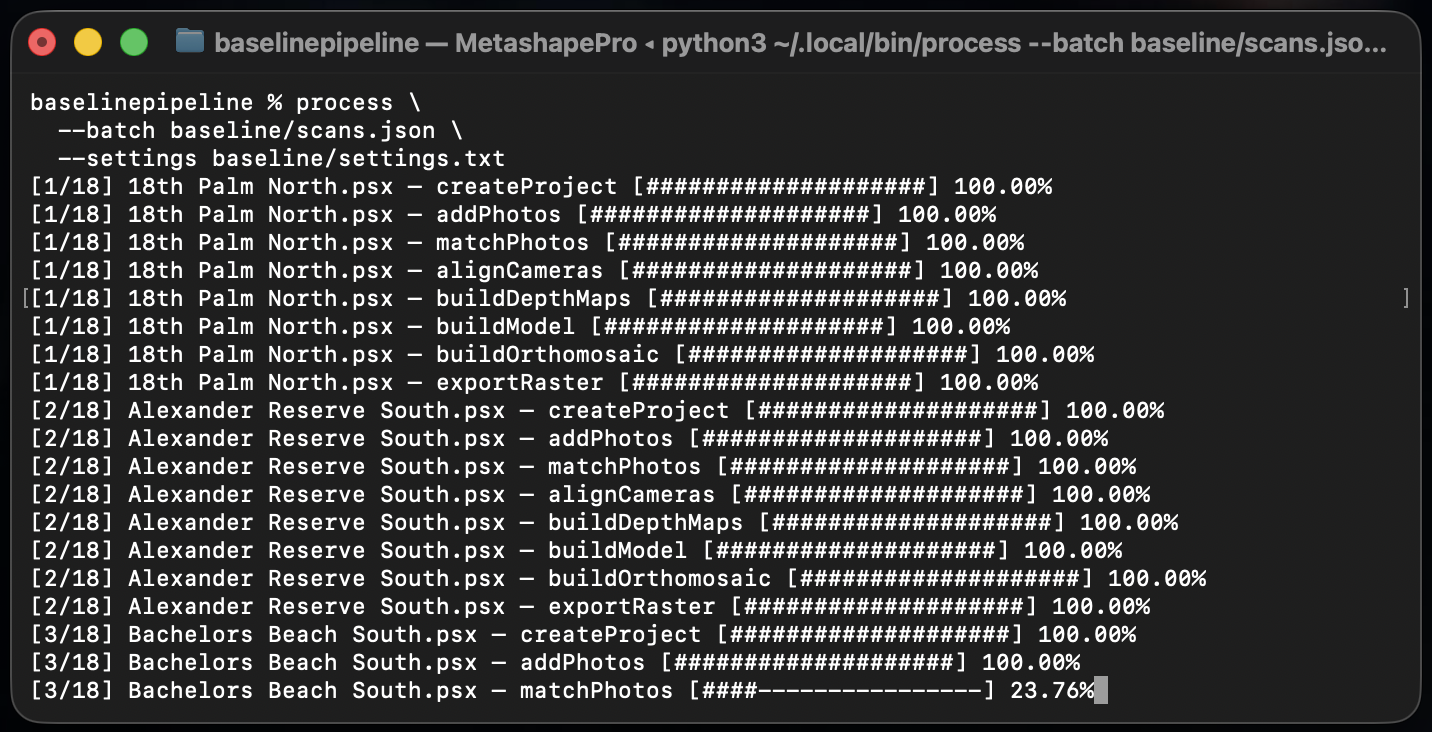
process --batch baseline/scans.json --settings baseline/settings.txtThe batch command used for the Bonaire processing run.
The processing recipe stays separate from the site list. Settings can be reviewed centrally while each project retains its inputs and progress.
--createProject
--addPhotos
--matchPhotos
downscale=4
--alignCameras
--buildDepthMaps
downscale=8
--buildModel
face_count=LowFaceCount
vertex_colors=false
vertex_confidence=false
build_texture=false
--buildOrthomosaic
--exportRaster
path=../Orthos/ortho.tif
image_format=ImageFormatTIFF
Operations and settings from the Bonaire batch configuration. Blank lines are omitted here for readability.
Progress and checkpoints for long runs
The terminal shows the current project, operation, and Metashape progress. Timestamped project logs retain detailed output, software version, and stage settings; concise failure messages remain in the terminal.
After each completed operation, the runner saves the project and records the next step. It skips completed projects and stops the batch on failure or interruption. Rerunning resumes from the recorded stage; an unfinished operation may run again.
def save_progress(next_step, chunk_key):
    entry["step"] = next_step
    if chunk_key != args.settings["chunk"]:
        entry["chunk"] = chunk_key
    save_batch(batch_path, entries)
The batch runner records the next operation and selected chunk after completed work has been saved.
Checkpoints preserve completed stages and reduce repeated setup. Project logs help operators investigate failures before continuing.
Small operations, one orchestration layer
Metashape performs the numerical work; Python coordinates it. A launcher starts the runner inside Metashape Professional to open projects, select chunks, dispatch operations, save results, and update progress.
- Operation modules validate settings and perform tasks on a Metashape chunk.
- The command runner validates the sequence and controls project processing.
- Batch and settings files retain site progress and the shared recipe.
- The output module reports progress and records detailed logs and failures.
def run(chunk, progress=None, **settings):
    chunk.buildDepthMaps(progress=progress, **settings)
The depth-map operation delegates directly to Metashape, using the supplied settings and progress callback.
Each processing decision is explicit: the operation, its parameters, and its place in the workflow.
Exports that stay with the project
Raster-export paths resolve relative to each Metashape project, placing outputs beside the correct site. The operation registry also supports tiled models and viewer exports. A shared recipe can place each orthomosaic beside its site project throughout the batch.
The result is a repeatable route from photographs to saved reconstructions and maps, with settings and progress recorded for interrupted runs and future work. Teams can review settings once, monitor long runs, and return to unfinished queues without rebuilding the setup for every site.
Related work: browser access
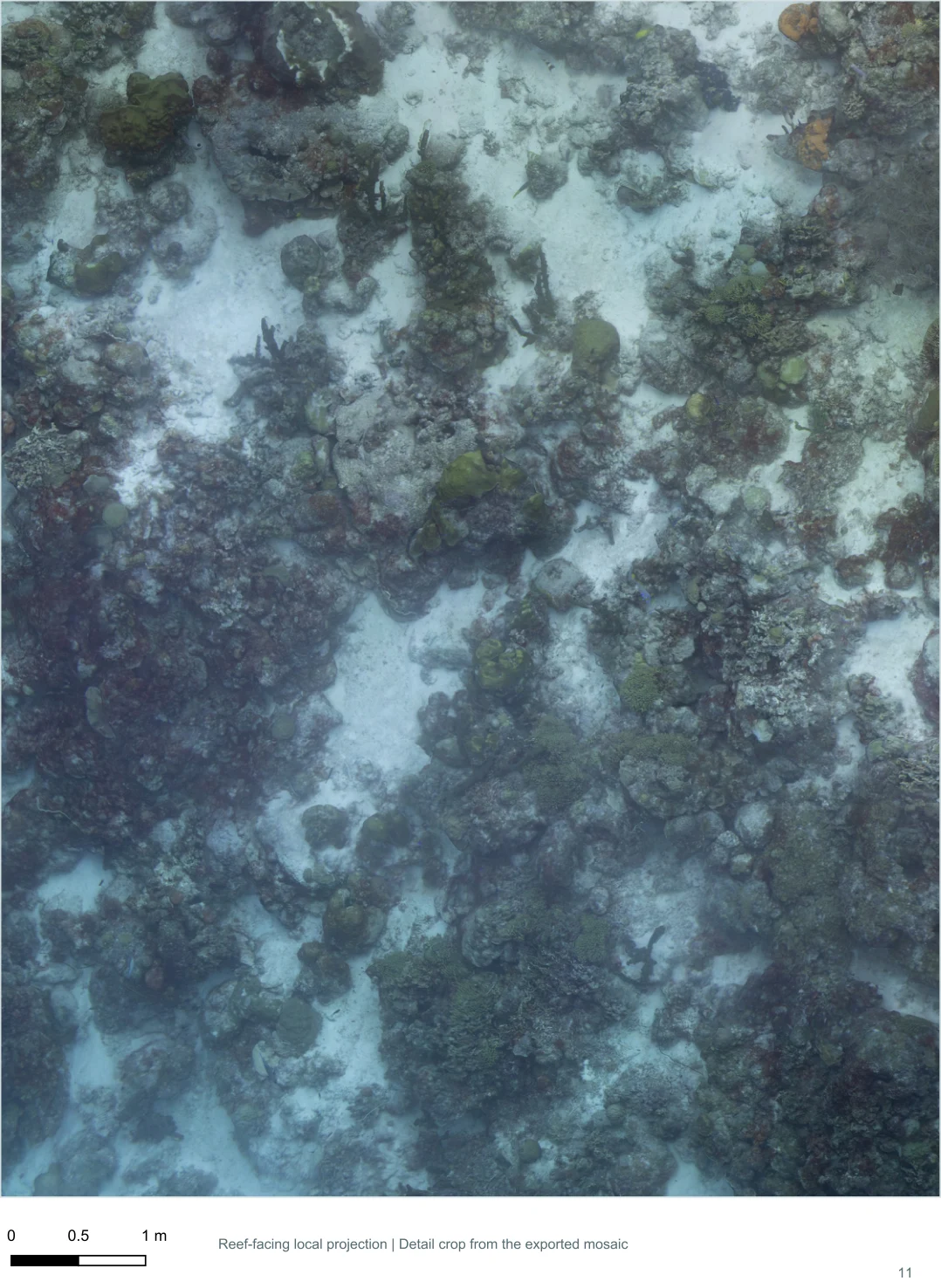
I also built a separate browser prototype for collaborators to inspect prepared cloud-optimized reef maps after processing.
- Browser prototype source — the separate imagery-inspection application.
- Bonaire Baseline Surveys — the fieldwork and survey collection.